

ESLint + TypeScript + Prettier 相关包与命令行详解
eslint + typescript + prettier 相关包
eslintESLint的核心代码eslint-loaderESLint加载器@typescript-eslint/parserESLint的解析器,用于解析typescript,从而检查和规范typescript代码eslint-plugin-vue解析
vue模板@vue/eslint-config-typescriptvue中对typescript写法的一些好的建议eslint-plugin-typescript:解析
typescript模版,被@typescript-eslint/eslint-plugin替代@typescript-eslint/eslint-plugin:这是一个
ESLint插件,用于解析typescript模版,包含了各类定义好的检测typescript代码的规范eslint-define-config为.eslintrc.js 文件提供 defineConfig 函数
prettierprettier插件的核心代码eslint-config-prettier解决
ESLint中的样式规范和prettier中样式规范的冲突,以prettier的样式规范为准,使ESLint中的样式规范自动失效eslint-plugin-prettier将
prettier作为ESLint规范来使用eslint-define-config在
.eslintrc.js文件中,提供eslint配置项的一些快捷提示,类型检查等vue-eslint-parser提供
vue语法解析
文档地址:[https://www.npmjs.com/package/eslint-define-config] 使用方法
// @ts-check
const { defineConfig } = require('eslint-define-config');

module.exports = defineConfig({
  root: true,
  rules: {
    // rules...
  },
});
webstorm 配置 eslint
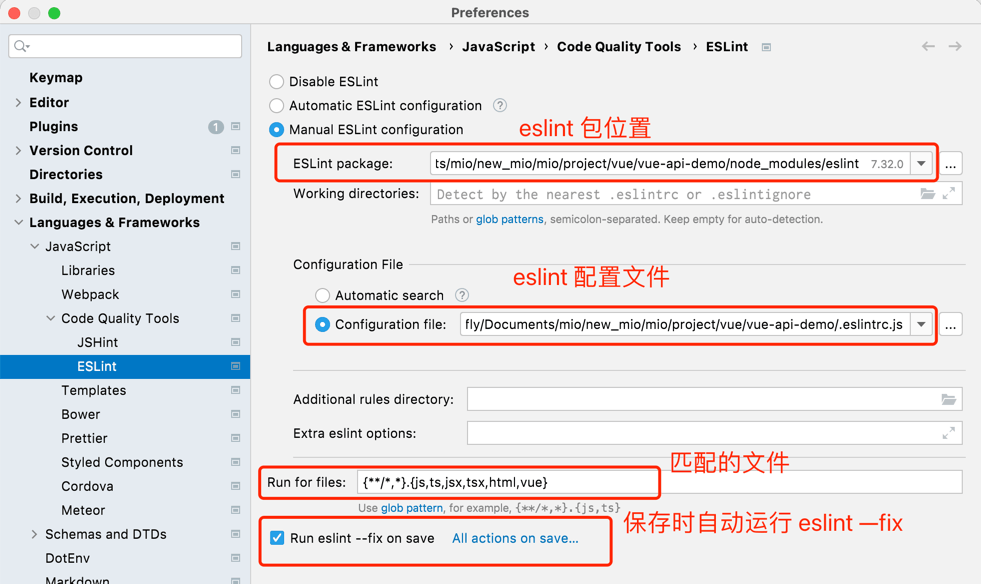
eslint 命令行
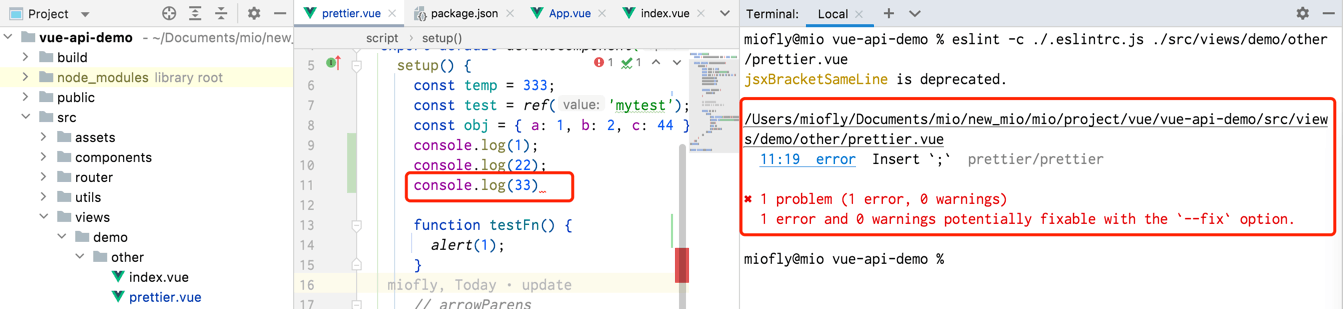
-c, --config此选项允许您为ESLint指定其他配置文件
eslint -c ./.eslintrc.js ./src/views/demo/other/prettier.vue
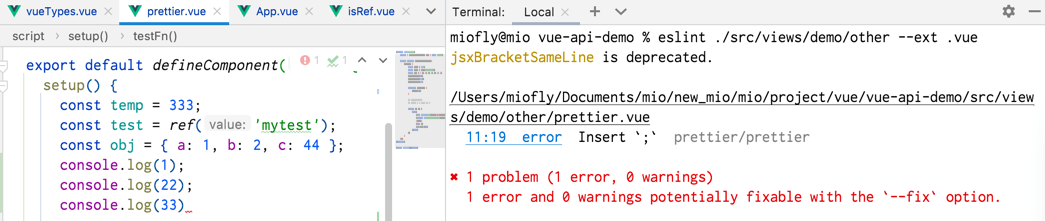
--ext指定在您指定的目录中搜索JavaScript文件时,ESLint将使用哪些文件扩展名。默认情况下,它使用.js唯一的文件扩展名。 例如,eslint lib/* --ext .js将匹配目录内的所有文件lib/,而不管其扩展名。
eslint ./src/views/demo/other --ext .vue
--cache存储有关处理文件的信息,以便仅对已更改的文件进行操作。缓存.eslintcache默认存储。启用此选项可以通过确保只更改已更改的文件来显着提高ESLint的运行时间。--quiet该选项允许您禁用警告报告。如果启用此选项,则只有错误由ESLint报告。--max-warnings此选项允许您指定警告阈值,如果您的项目中存在太多警告级别的规则违规,则可以使用该阈值强制ESLint以错误状态退出。--fix该选项指示ESLint尝试尽可能多地解决问题。修复是针对实际文件本身进行的,只有剩余的未修复问题才会输出。并非所有问题都可以使用此选项解决,并且该选项在以下情况下不起作用:
package.json 中的 eslint 修复配置
"lint:eslint": "eslint --cache --max-warnings 0 \"{src,mock}/**/*.{vue,ts,tsx}\" --fix",
还没有留言,来发表第一条吧~