

◆
Windi CSS 外边距与内边距工具类速查
属性值-简写
| 属性值 | 简写 |
|---|---|
padding | p- |
padding-top-bottom | py- |
padding-left-right | px- |
padding-top | pt- |
padding-bottom | pb- |
padding-left | pl- |
padding-right | pr- |
margin | m- |
margin-top-bottom | my- |
margin-left-right | mx- |
margin-top | mt- |
margin-bottom | mb- |
margin-left | ml- |
margin-right | mr- |
margin-top margin-bottom | space-y-2 |
margin-top margin-bottom | space-y-reverse |
margin-right margin-left | space-x |
margin-right margin-left | space-x-reverse |
示例
<template>
  <div class="flex justify-around align-middle flex-wrap bg-black">
    <div
      v-for="(value, index) in cfg"
      :key="index"
      class="flex align-middle justify-between mt-10px"
    >
      <div v-for="(item, subIndex) in value" :key="subIndex">
        <div :class="[baseClass, item, 'bg-blue-400']">{{ item }}</div>
      </div>
    </div>
  </div>

  <div class="flex justify-around">
    <div class="space-y-10px">
      <div v-for="(item, index) in 3" :key="index" :class="[baseClass]">
        测试{{ index }}
      </div>
    </div>

    <div class="space-y-10px space-y-reverse">
      <div v-for="(item, index) in 3" :key="index" :class="[baseClass]">
        测试{{ index }}
      </div>
    </div>
  </div>

  <div class="flex justify-around flex-wrap">
    <div class="space-x-10px">
      <span v-for="(item, index) in 3" :key="index" :class="[baseClass]">
        测试{{ index }}
      </span>
    </div>

    <div class="space-x-10px space-x-reverse">
      <span v-for="(item, index) in 3" :key="index" :class="[baseClass]">
        测试{{ index }}
      </span>
    </div>
  </div>
</template>

<script setup lang="ts">
import { ref } from 'vue';

const baseClass = ref(
  'w-150px h-150px leading-150px bg-red-500 m-auto text-white whitespace-nowrap border-10 border-red-500',
);
// 'w-screen h-150px'
const cfg = ref({
  1: ['p-10px !m-10px'],
  2: ['mt-10px ml-[10%]'],
  3: ['m-auto'],
  4: ['mx-[30px]'],
  5: ['py-[10px]'],
});
</script>
示例效果图 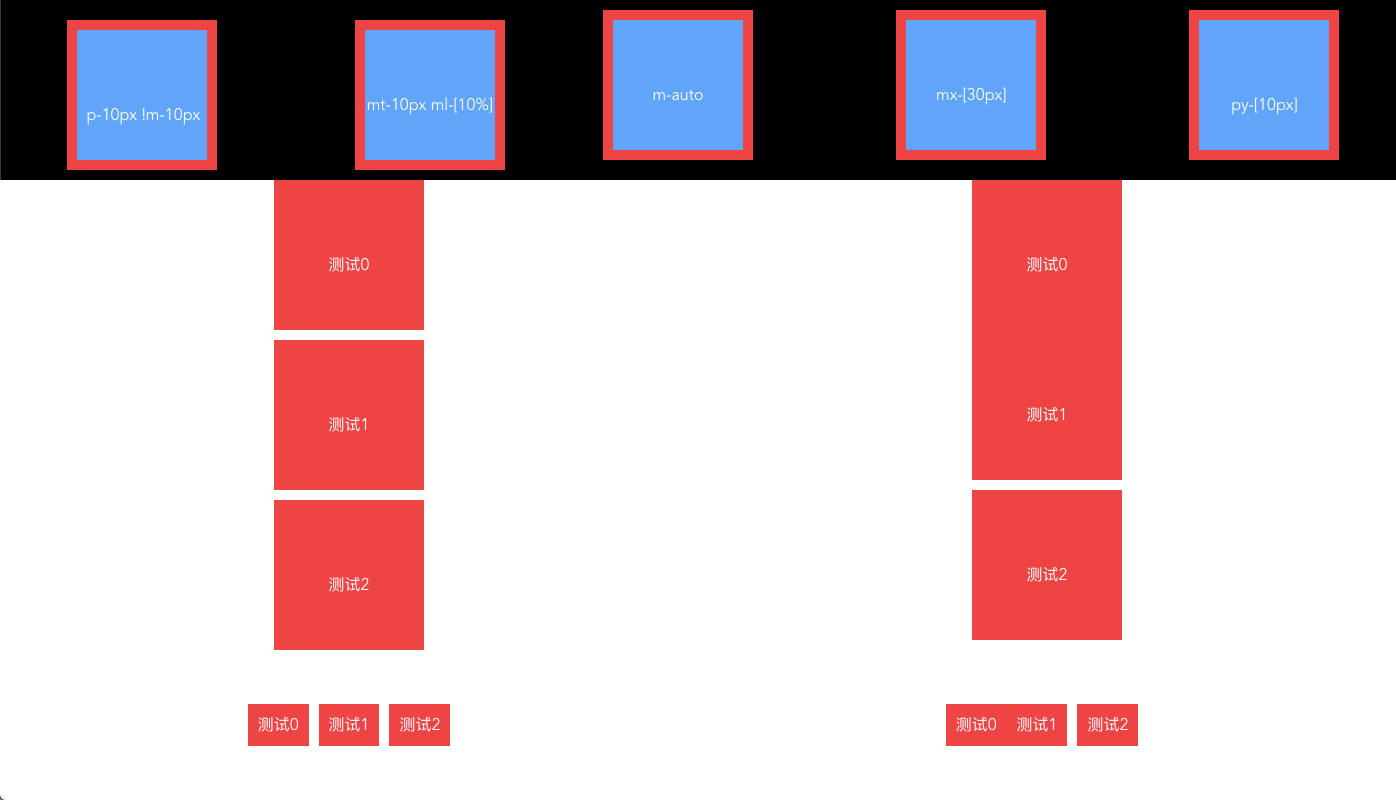
还没有留言,来发表第一条吧~